Asset Management and Custom Navigation
Just a few things released last week. Multi-Turn Cards, Custom Properties and the ability to create custom navigation, manage assets, their finances, and relate them to tickets with Asset Management for Tikit.

Custom Navigation
Before we jump into Asset Management, what is now possible in the Agent portal is to introduce your own navigation on the left hand side or while editing a ticket.
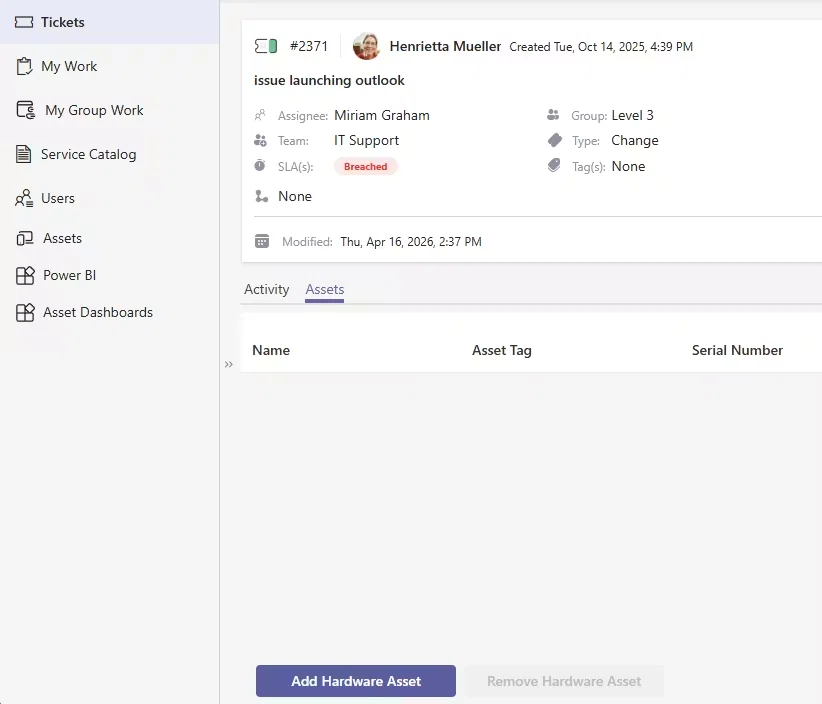
In the above example, we've introduced 3 new pieces of navigation on the left:
- Assets - loads Asset Management
- Power BI - loads the Power BI Tikit Dashboard
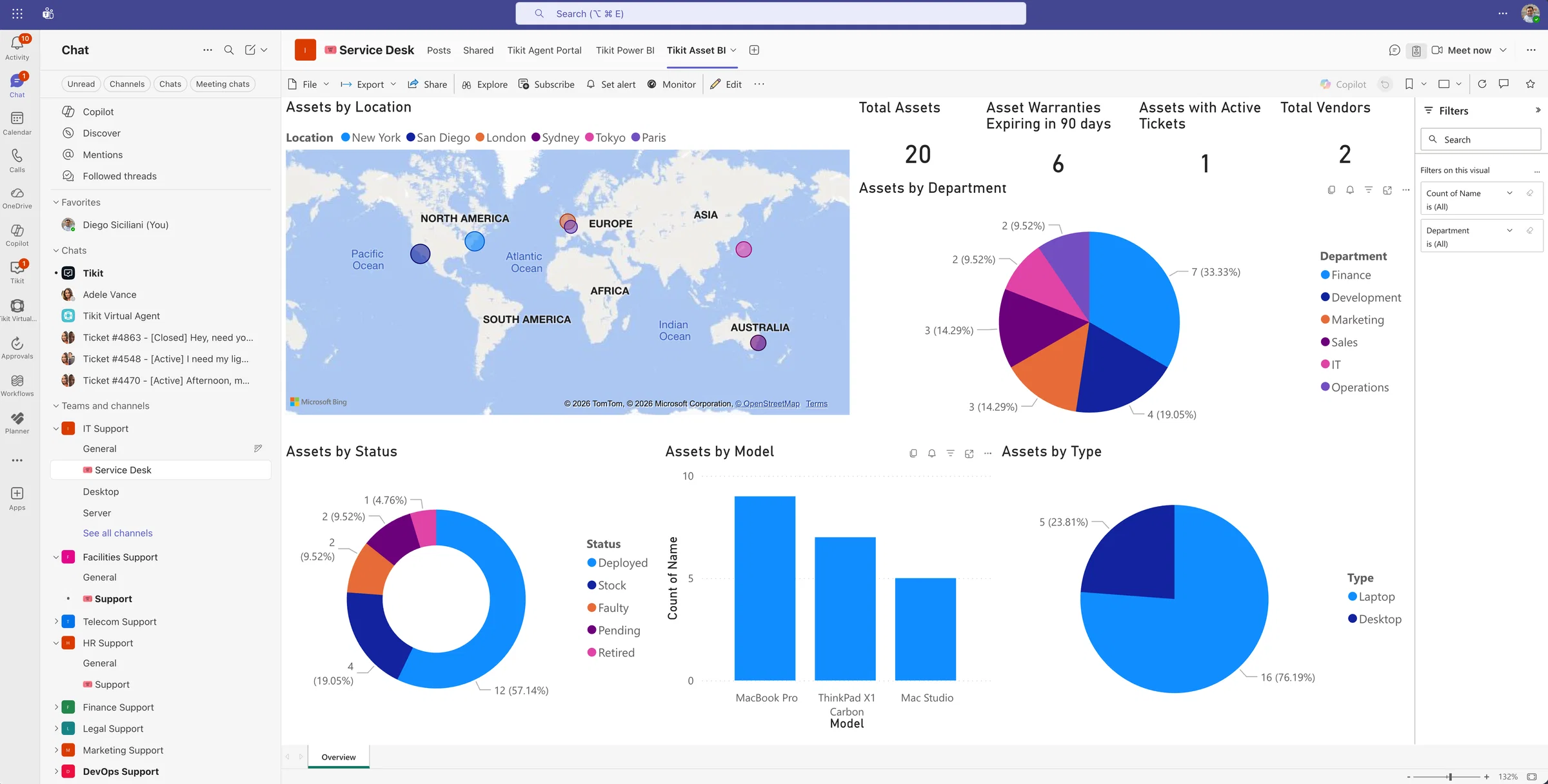
- Assets Dashboard - loads the Power BI Asset Dashboard
But we've also introduced a Custom Tab, in this case Assets on the Edit Ticket experience. Granting you the ability to link tickets directly to Assets. Best of all, if you want to build your own custom experiences for the Edit Ticket experience. We're making ticketId (e.g. 5738) and requesterEntra (e.g. 84f5037d-ea3f-48db-9a92-f012c815ef36) session variables available when you're on the page. This means you can fetch the current Ticket ID and/or the Requester's Entra ID for use in your own applications. In our case, we can relate Assets directly to a Ticket.
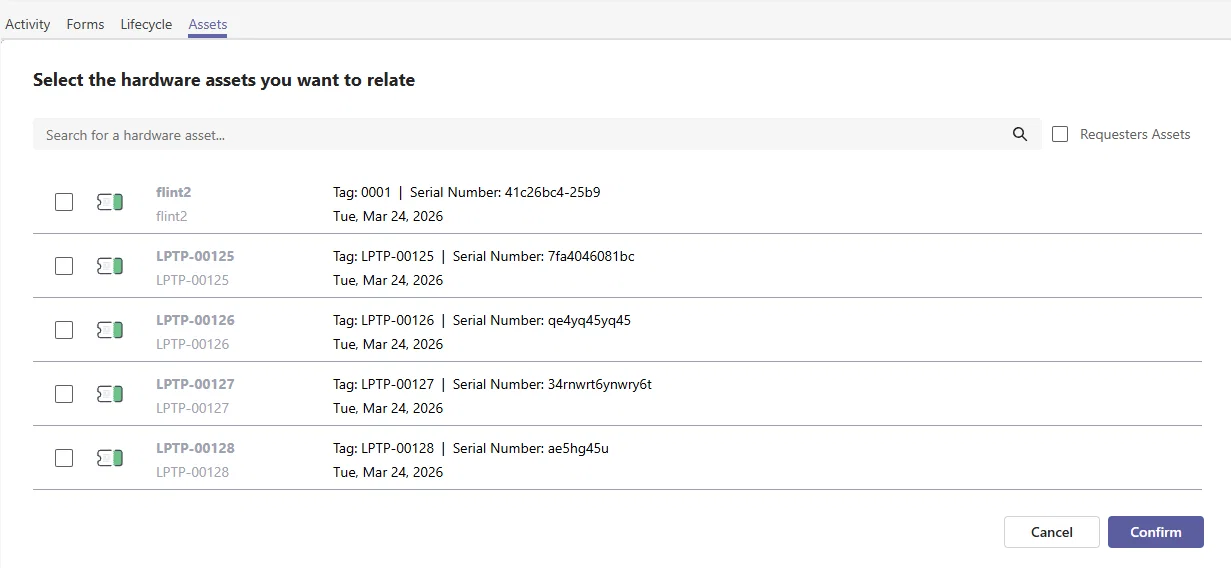
But again, these can be anything and set in any order. So if you're currently using Power Apps, Power BI, or even your own custom application - you can now publish it into the Agent portal! Check out the KB over here for details on how to create, edit, and remove navigation.
Asset Management
It's one thing to talk about custom navigation and introducing support for Asset Management. So let's talk about what Asset Management actually is.
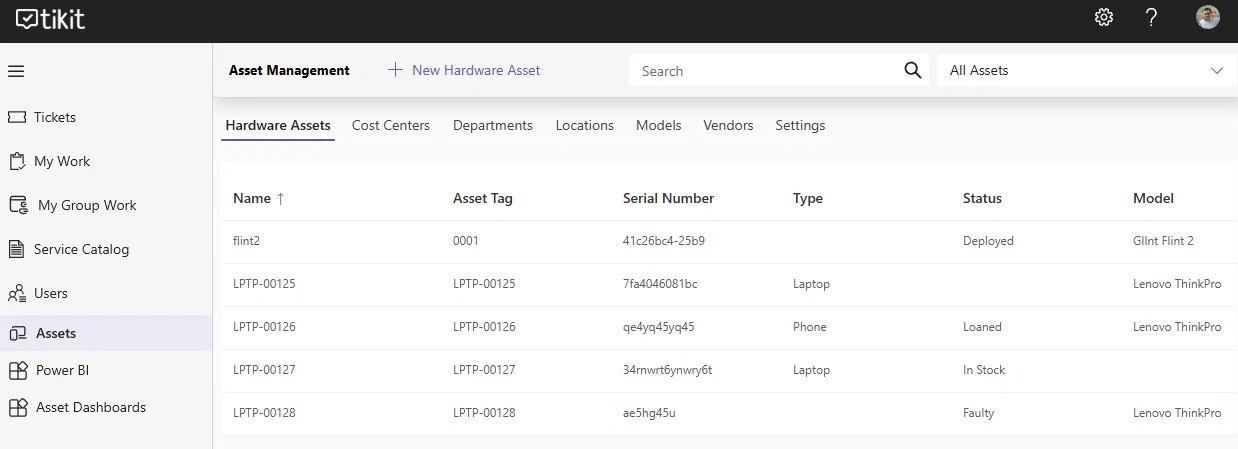
With Asset Management, we're introducing our first managed Power App that you can deploy to your own environment. Once deployed you can
- Manually create/edit Assets
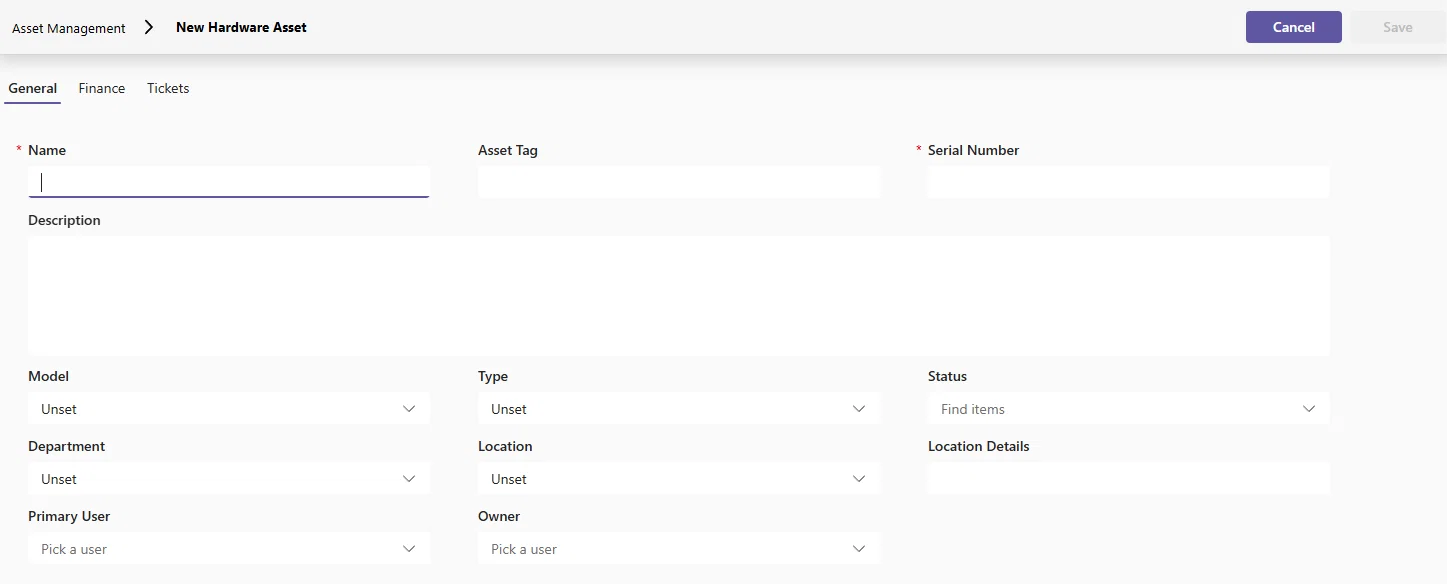
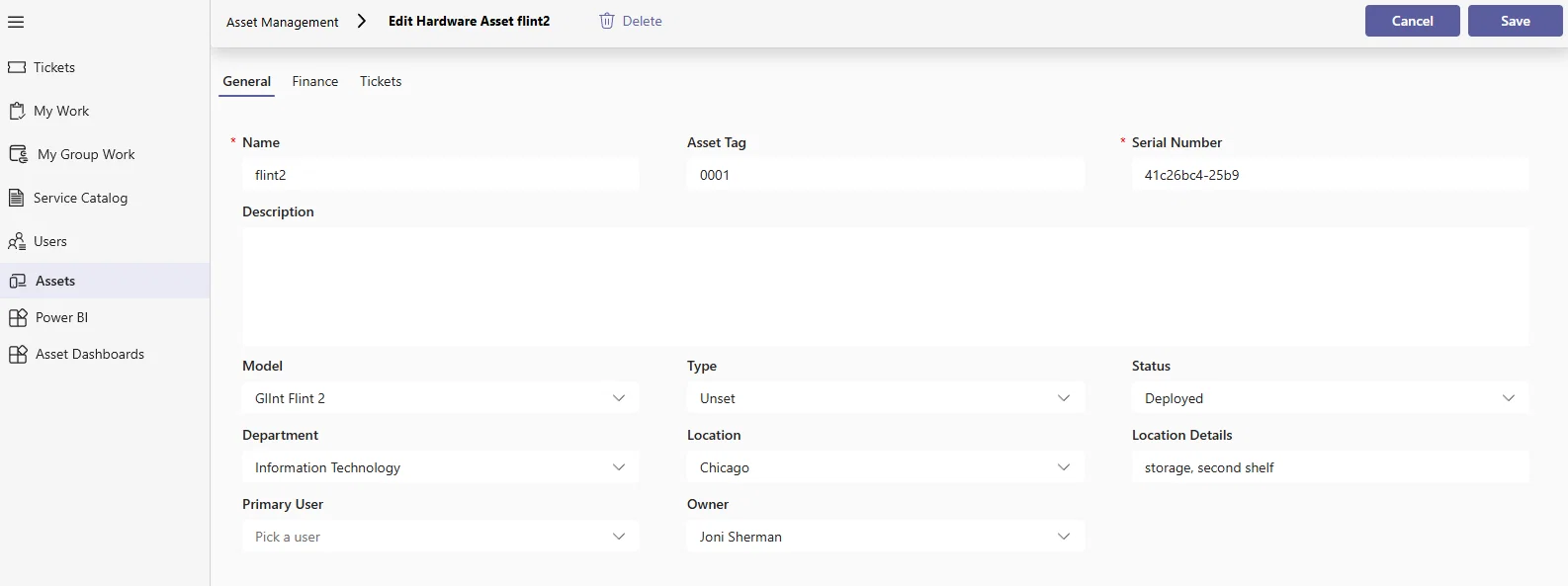
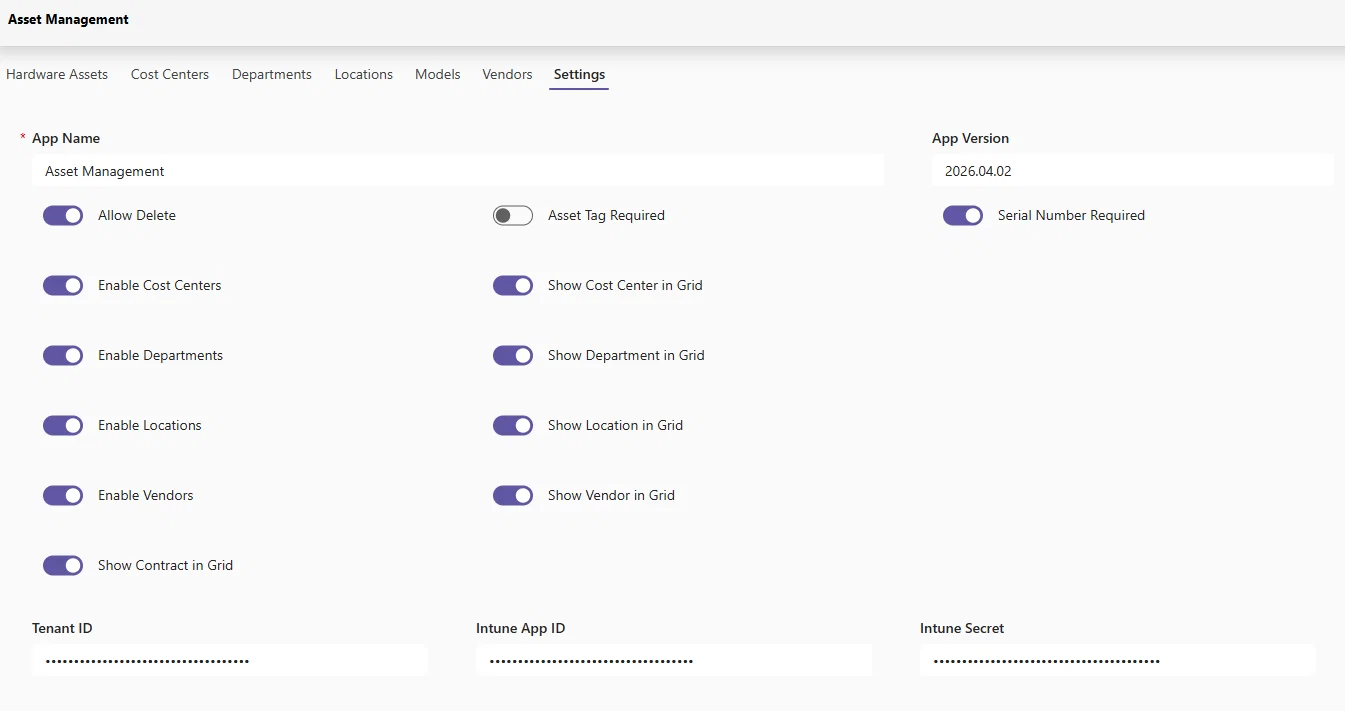
- Configure Asset Management functionality and InTune sync (Azure App Registration) to automatically keep assets in sync every 24 hours
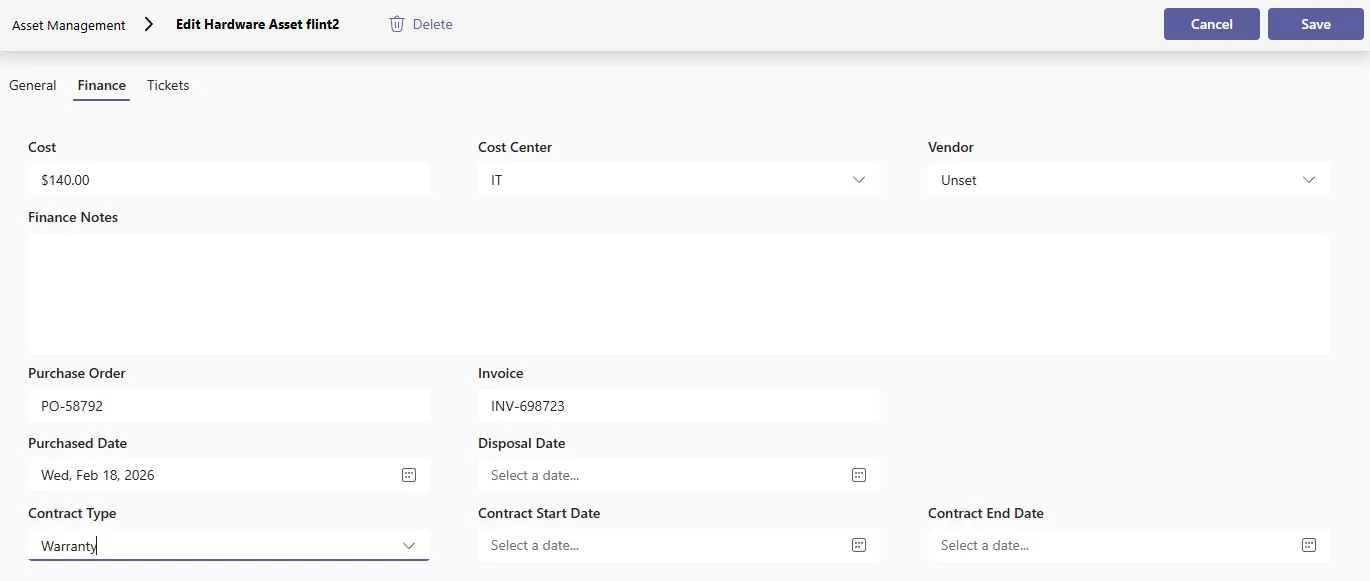
- Control financial data such as purchase orders, invoices, and warranties
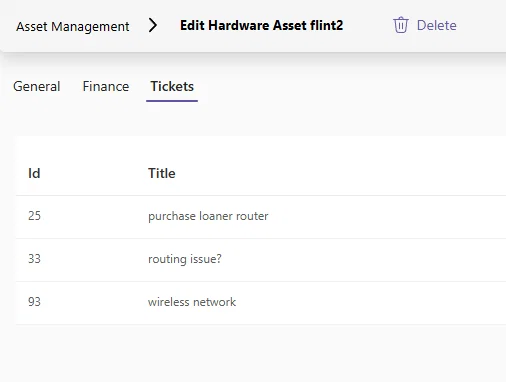
- Relate Tickets to Assets
Reporting
And of course, with the introduction of Asset Management. We've also released an additional Power BI dashboard template. As always with our reporting templates - you're free to download, customize, or build completely from the ground up.