Time Tracking
Tomorrow night sees the release of time tracking for Tikit. Enabling agents the ability to log time on tickets and of course, report with our Power BI integration.

Time tracking is an opt-in experience for all customers and one that can be tailored for your organization.
Configuring Time Tracking
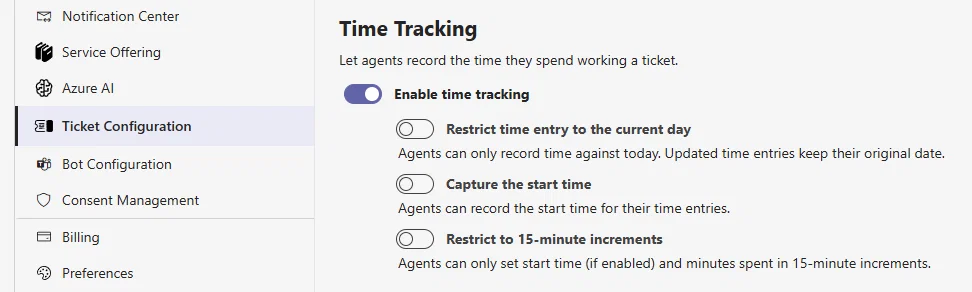
Just head over to Tikit Configuration and there you'll find the new time tracking settings. Apart from enabling, we also wanted to introduce additional functionality based on what we heard from you and what you might want to report on later.
- Restrict time entry to the current day
- Capture the start time
- Restrict to 15-minute increments
Once you've decided how you want to use time tracking within your organization, all tickets instantly support it.
Using Time Tracking
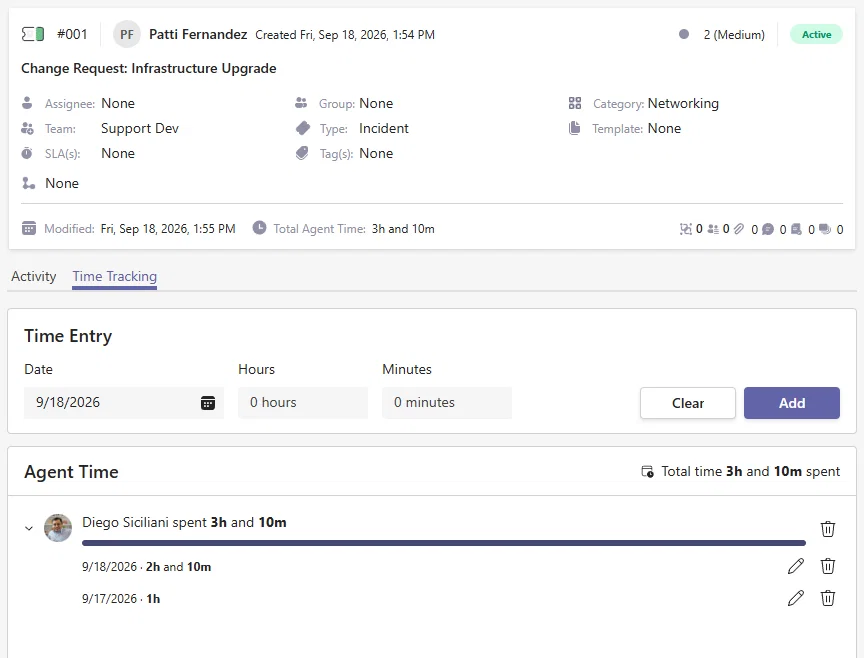
With time tracking enabled, all tickets and agents gain the new Time Tracking tab. Here agents can record their time, visualize their own time, and their team members time.
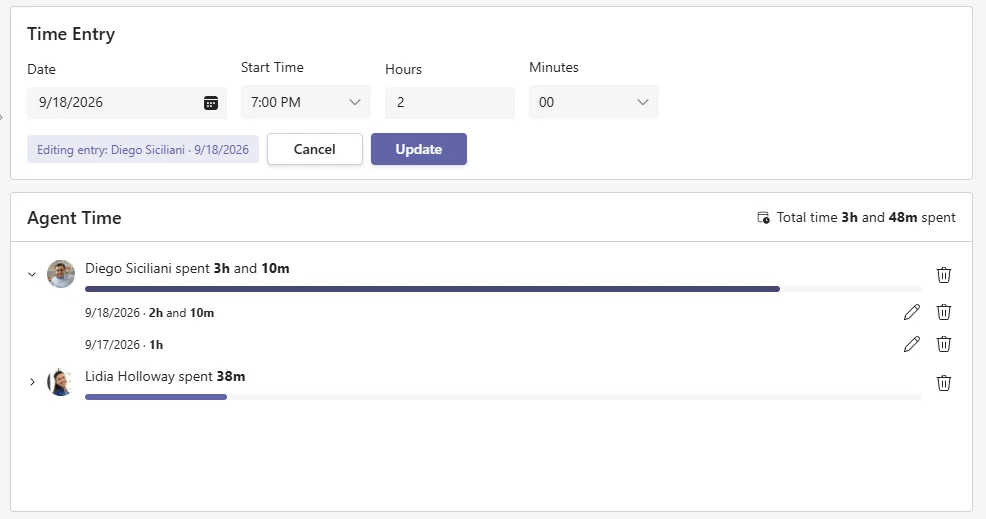
When editing time, the entry is brought back up into the editor along with context for what you'll be changing.
Reporting with Power BI
The release of time tracking also sees an update to our Power BI template with a dedicated page specifically for time management.
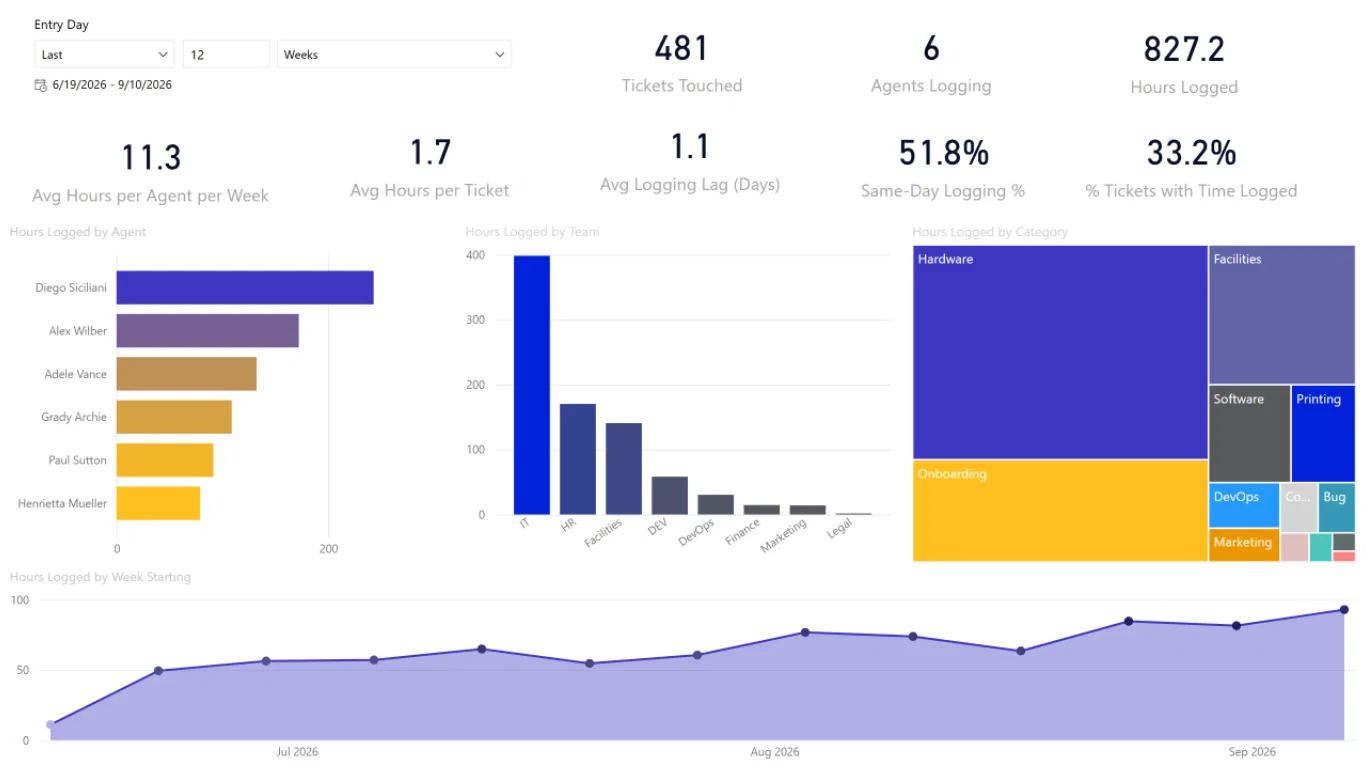
As you can see, this update offers everything from common to incredibly detailed time tracking reporting for cases such as:
- volume/percent of tickets that have time associated with them
- how many agents have entered time
- time grouped by Team or Category
- average hours per ticket/week
and more!
Just like before, our Power BI template provides the fastest way to get going with simple to advanced reporting with support for endless customization. But of course you are free to use the template and its queries as inspiration in your own reports. As always, the heavy lifting of joins, merges, and how to marry time tracking data against ticket data has been done for you.
You can grab the updated Power BI template here.
Automations. Round Robin Assignment.
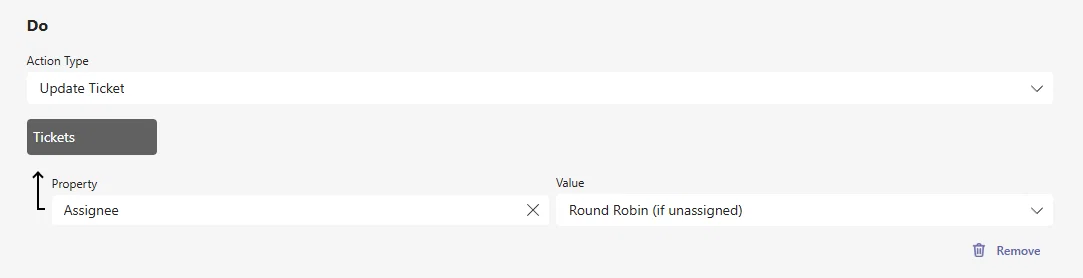
And just one more item is arriving with time tracking and its the ability to support round robin assignment natively in Automations.
With Round Robin as part of the Update Ticket actions, you can automatically assign the next assignee for a given Team/Group.
Edit Ticket, Search Details.
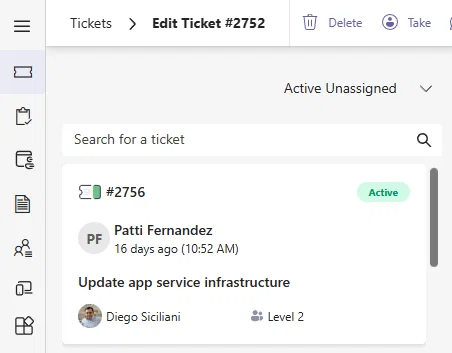
We've also updated the list along the left hand side when editing a ticket to show Group/Assignee details.
That's all for now
But we've gotten plenty of more updated planned for the rest of this year. If you want to hear about our recent releases and what we're working on next - don't forget to join Technically Speaking this Thursday 9.24!