It's Time to Share!
Tikit's next big feature is arriving Wednesday the 16th. Giving you the ability to share and control sharing based on roles within Tikit or Entra. With Sharing, you can control how various aspects of Tikit are experienced based on the currently signed in employee. Plus a few other items on the roadmap. Time to dive into what Sharing means!
Views
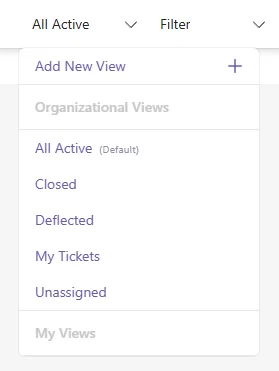
- "It would be nice to create a view that everyone defaulted to."
- "I want to reduce view clutter, too many departments end up creating too many views."
- "I really wish Agents could create views without needing an Administrator or Super Agent."
In this release, Views have been overhauled to address every single one of those comments. Let's create a View so you can see these changes for yourself. Now when creating a view, you can:
Create it just for yourself.
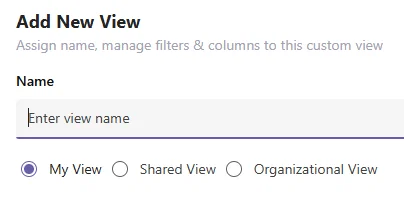
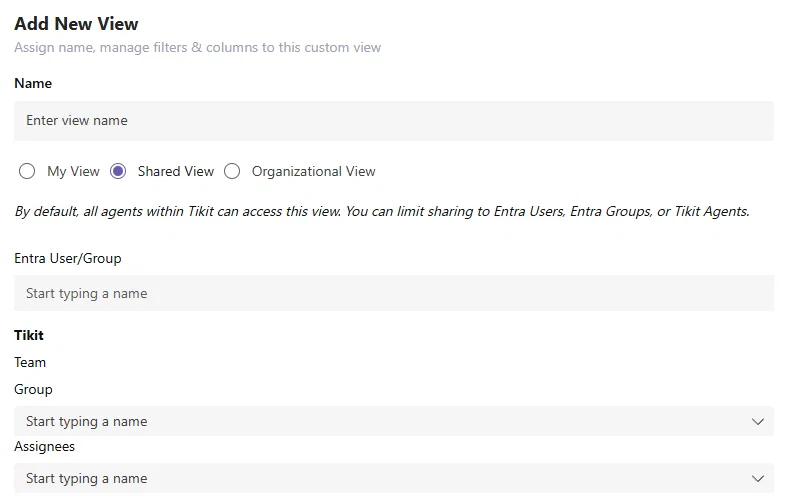
Create it for someone else by defining Entra Users, Groups, and/or Tikit Teams, Groups, or Assignees.
Create it for everyone and optionally set it as the Default View for everyone. That way when you navigate to web.tikit.ai, every agent will always default to it.
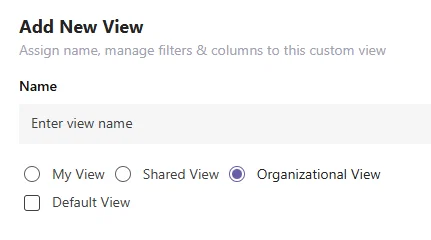
The ability to create Shared Views and Organizational Views is dependent on your Tikit role. But the end result? A list of views that make sense for the currently logged in Agent. Here you'll see views available to everyone, views that have been shared to a specific group of agents, and finally views you've created for yourself.
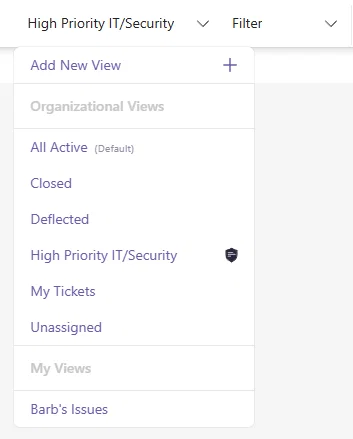
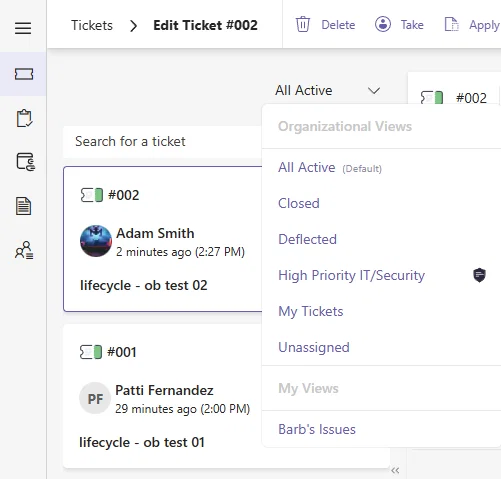
Views -> Edit Ticket
And with everything in Views above, we've also brought that same experience into Edit Ticket. Now the left hand ticket list can make use of all of the work in the larger ticket lists. Great for specific shared views or views you've created just for yourself.
Templates
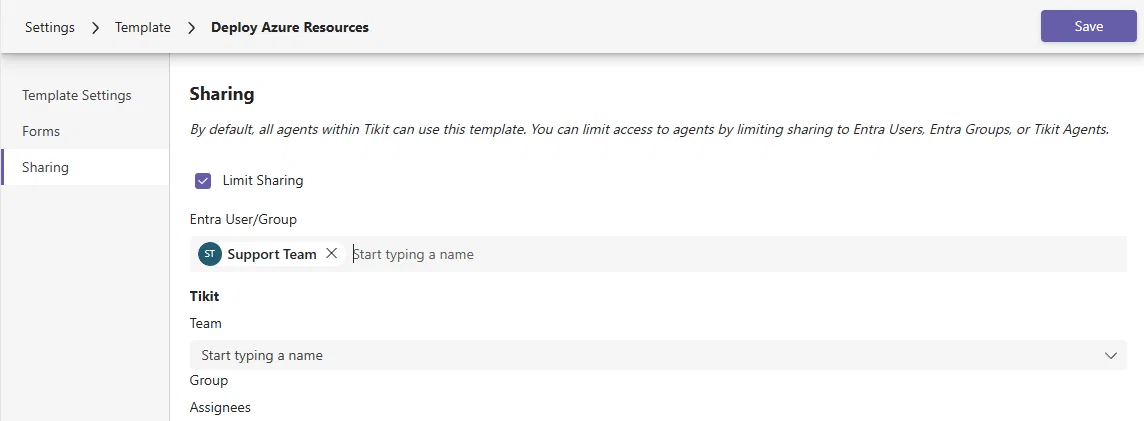
With the introduction of Sharing on Templates, you can now control which Agents can actually use and apply the template to a ticket. When it comes to Multi-Department scenarios, you can now ensure specific Teams have access to specific Templates.
Catalog Items. End User Portal and Tikit Virtual Agent Deflections
Sharing in the Service Catalog now means you can control who in your organization can be served specific Catalog Items.
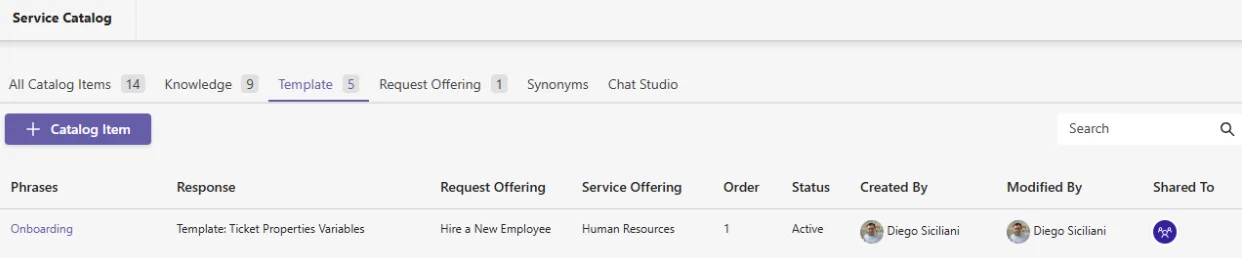
- Want to keep Onboarding requests available only to Managers & Directors in your organization?
- Need an HR request that only HR can use?
- Deploying Azure Resources, but want to make sure only specific Agents can use it?
- Agents browsing the Service Catalog in the Agent Portal and you want to make sure they only have access to a subset of items?
Up until this point, Catalog Items were available to everyone sans the Agent Only experience. But now, you can limit sharing to control who can see this on the End User Portal and who receives it as a potential deflection within Tikit Virtual Agent.
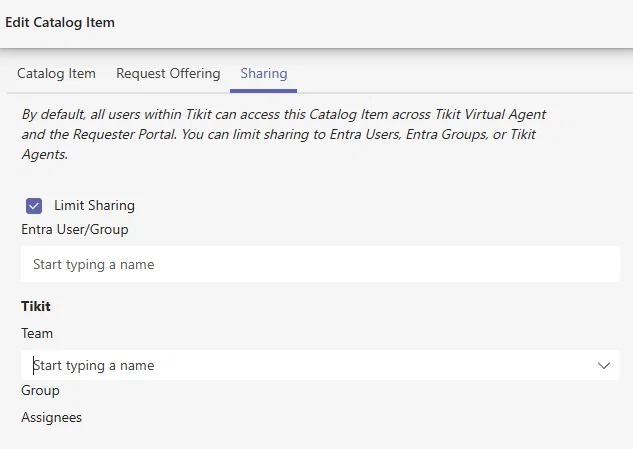
Sharing alters visibility on the End User Portal and eligibility for responses returned from Tikit Virtual Agent.
Help Card
We've also brought sharing into the Help Card for Tikit Virtual Agent. Giving you even more ways to customize the experience. This allows you control the buttons that appear to the user requesting the Help Card.
But we've also introduced the ability to control even the text seen on the Help Card. Just select any text such as headings you might have for sections for your Help Card.
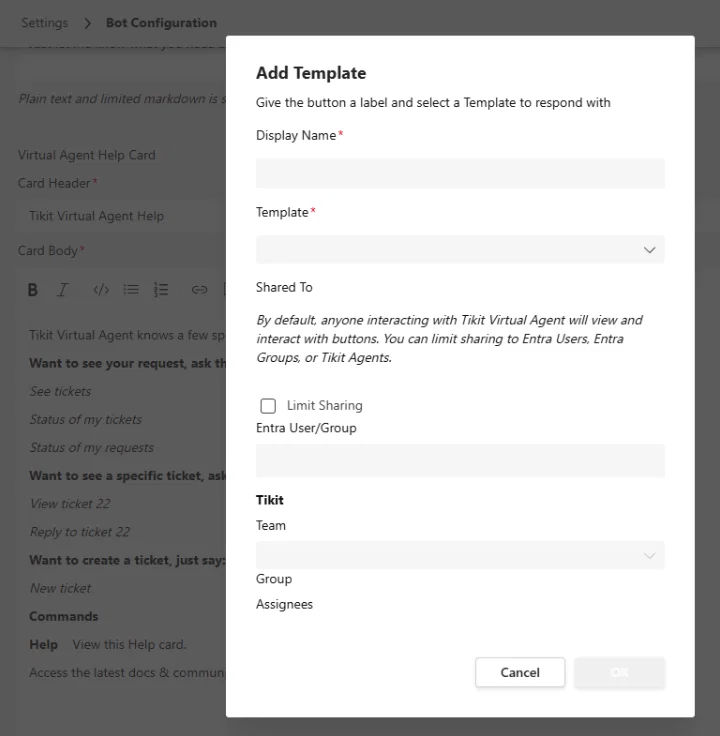
Then click the Shield icon to control who sees that text.
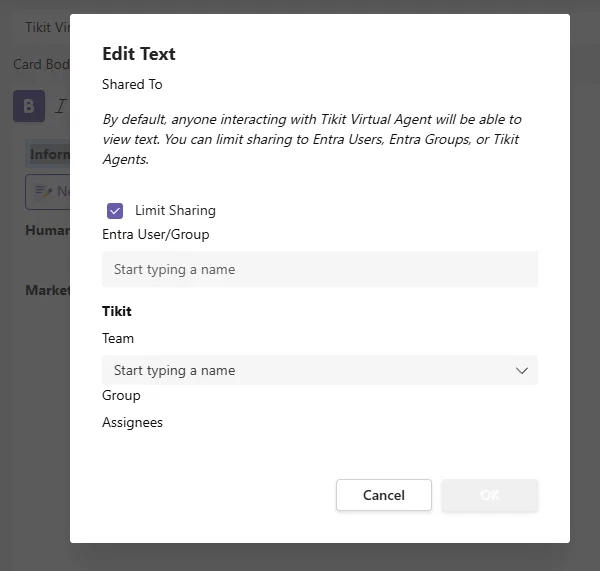
Now you can have a Help Card with buttons and text that work for everyone!
Admin View
We're also introducing some unique functionality for our Administrators and Junior Admins - Admin View.

With Admin View, we wanted to give those managing Tikit who also might be working tickets, the ability to quickly experience what things are like as an agent. This is great if you want to:
- Work tickets, without dealing with the clutter of things you've created for other users and/or departments
Admin View effects Admin/Jr. Admin experiences in places where you could experience Sharing:
- Views
- Templates
- Tikit Virtual Agent Deflections
- Help Card in Tikit Virtual Agent
- the Service Catalog/End User Portal
For just one example, let's go back to our Views from earlier, here's a quick before and after for the same Tikit Administrator toggling this on/off for themselves:
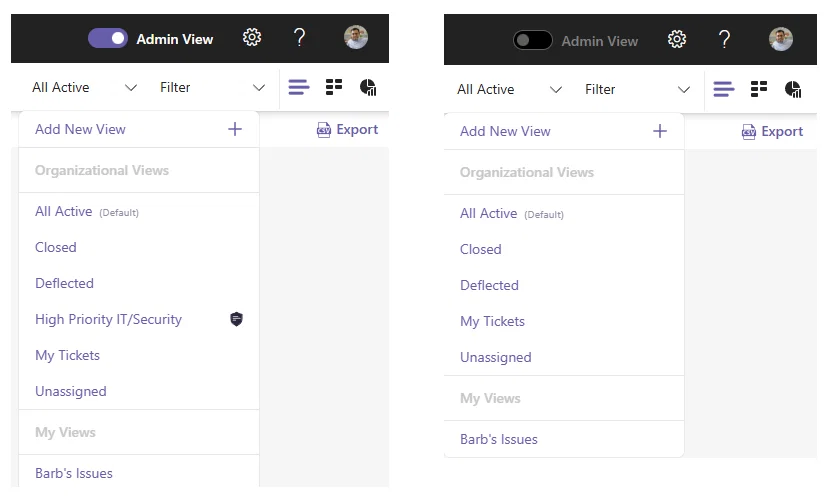
On the left, there is a view for High Priority IT/Security tickets. But it has sharing applied to it as emphasized by the Shield icon. With Admin View toggled off, the currently signed in employee doesn't even see this as a view. Just like those employees/departments who wouldn't have access to it (unless of course it was shared to them). With Admin View, Administrators and Junior Admins can experience Tikit without having to sign out and sign in with wholly different account just to "see how it works for someone else".
By default Admin View is toggled on for all Administrators and Junior Admins.
Junior Admins. What about Super Agents?
This update also relabels the role of Super Agent to Junior Administrator. No permissions have been changed, no functionality has been lost. This is a change in name alone to more closely align with what the role can do within Tikit.
Edit Comments

This update also includes another long requested roadmap item, the ability to edit comments just like you can edit messages in Teams. Within Ticket Configuration you can control if Agents can edit and/or delete their own comments.
With these options enabled, hovering over a message provides these options:
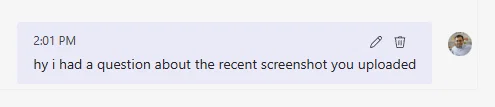
Editing of a message occurs inline
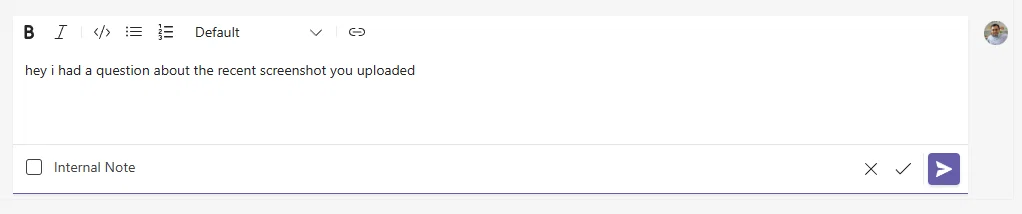
And apart from being able to cancel the Edit, gives you the ability to Send the comment or simply just Save the comment with no notification taking place.
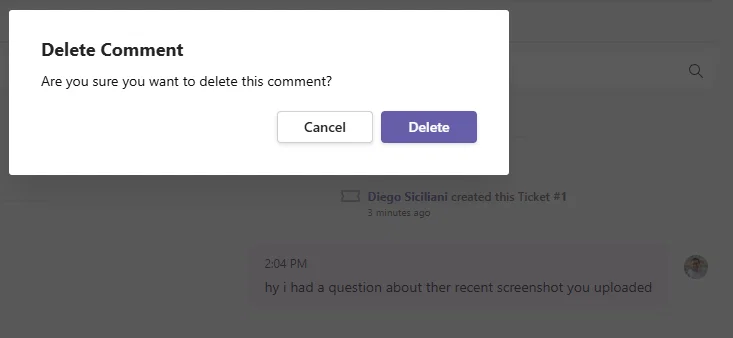
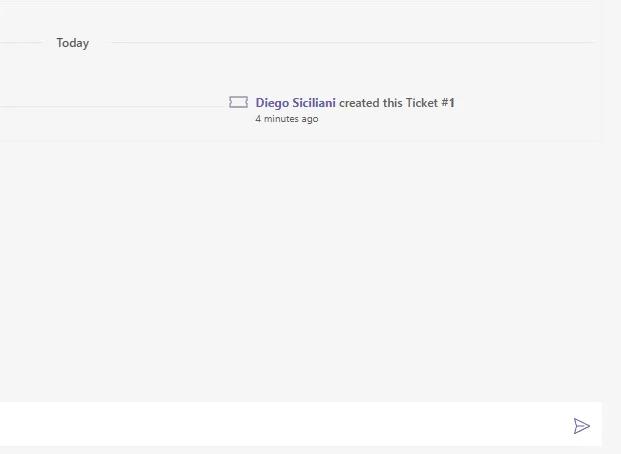
Deleting a message prompts for confirmation, and on confirmation completely removes it from the ticket.
Bulk Delete
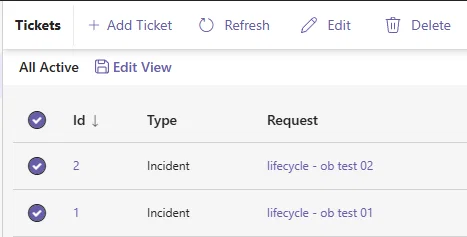
Whether its an assortment of tickets you were just testing with, or tickets that no longer are applicable. Another roadmap request makes its way into this update with the ability to bulk delete tickets.
Conclusion
We covered a lot here and we are grateful to your feedback in calls, meetings, and of course Technically Speaking. Which is happening next week! A great place to share your feedback, hear what we're working on next, exchange ideas and discuss anything else on your mind with us and other customers.
But we'll let you in on a secret, there is one more, highly requested roadmap feature arriving next week before Technically Speaking.
See you then!