External Users
External Users is now available giving you the ability to add, edit, archive, all new controls for Forms, and an enhancement for Azure Foundry/TVA responses. No matter who is emailing in, now you create them in advance and/or update details on them to give yourself and your fellow agents more context when working tickets.

Enabling User Creation
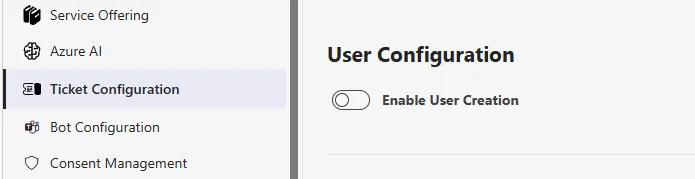
This feature ships disabled by default to existing customers to keep parity with how things work today. Enabling it is simple, just head into Ticket Configuration and toggle it on.
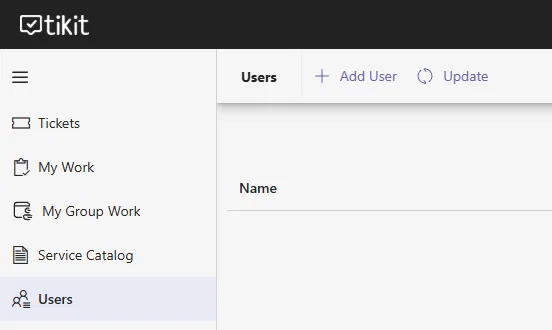
Once enabled, the User's pane gains the ability to "+ Add User"
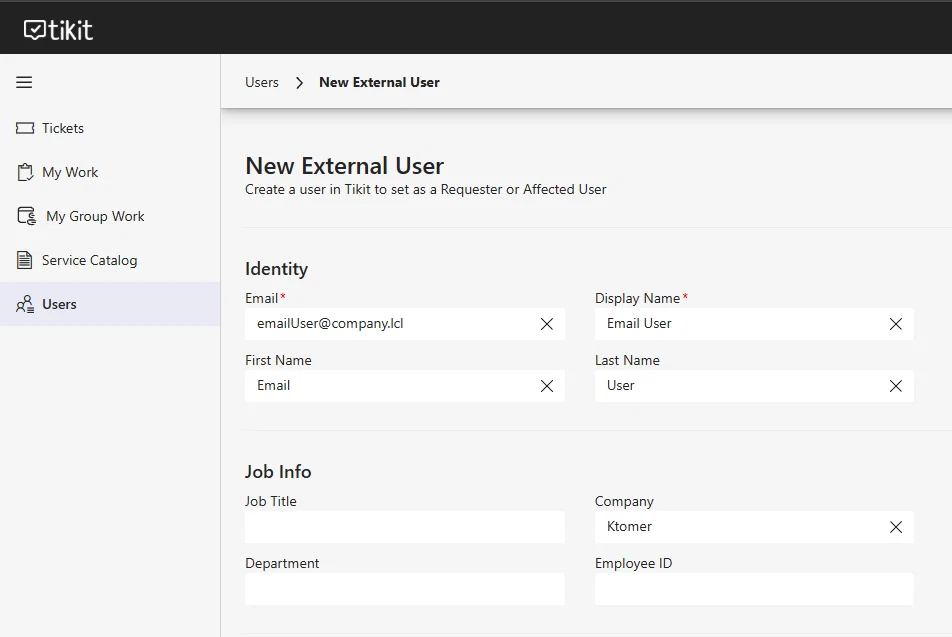
And its here you'll be able to defined the details of the new user. Users created in Tikit share all of the same fields you've come to expect from Entra.
And of course edit them.
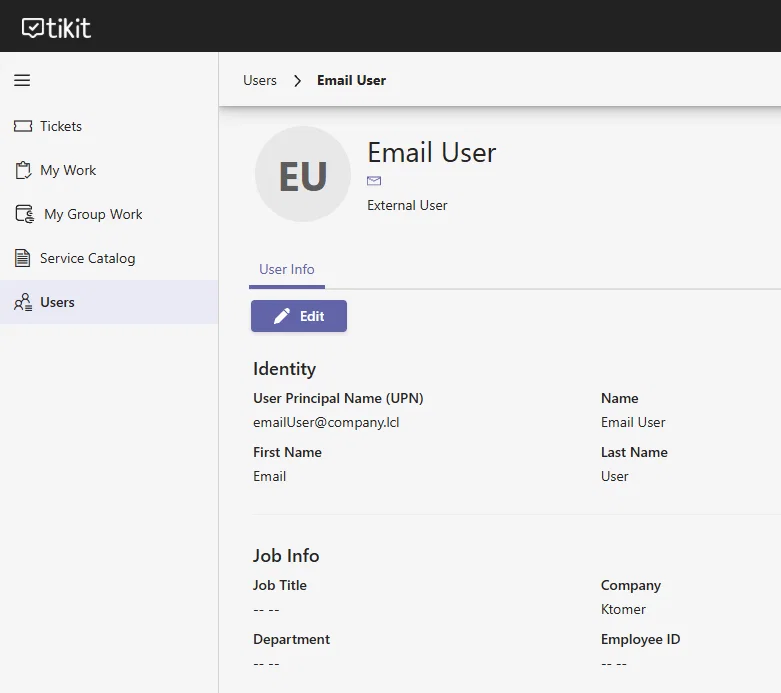
And since external users share the same fields with Entra Users, existing reports continue work and can be expanded if you so choose. For example, with an External User's Company defined you could easily build a Tickets by Company if you so choose.
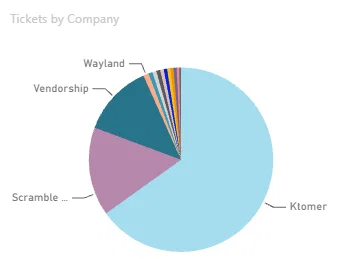
In any case - with those users created in Tikit, you can now use them as a Requester or Affected User when creating or editing tickets.
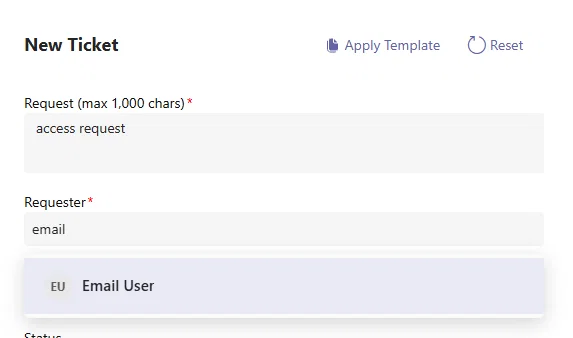
But of course, there is another area where users could be used -
Forms and External Users
And with the ability to control more of this experience, we're also introducing some new functionality around forms and specifically controls that leverage people.
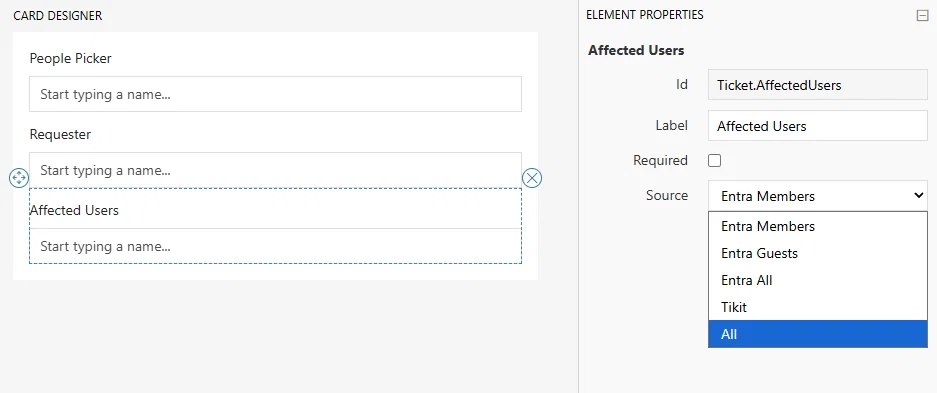
Now when working with forms - the People Picker, Requester, or Affected Users fields now support the ability to filter on the people you want to show on that field.
- Entra Members - Anyone in your Entra organization/domain
- Entra Guests - Anyone that was invited to your Entra organization from another organization/domain
- Entra All - Entra Members + Guests
- Tikit - Anyone created and managed in Tikit
- All - All Entra + Tikit
Automations + SLAs
And we're bringing External Users + all of the fields on people (regardless of Entra or External) to Automations and SLAs.
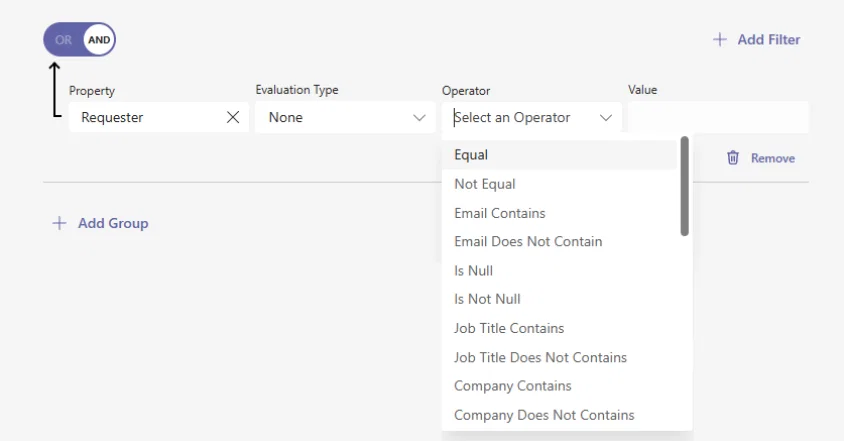
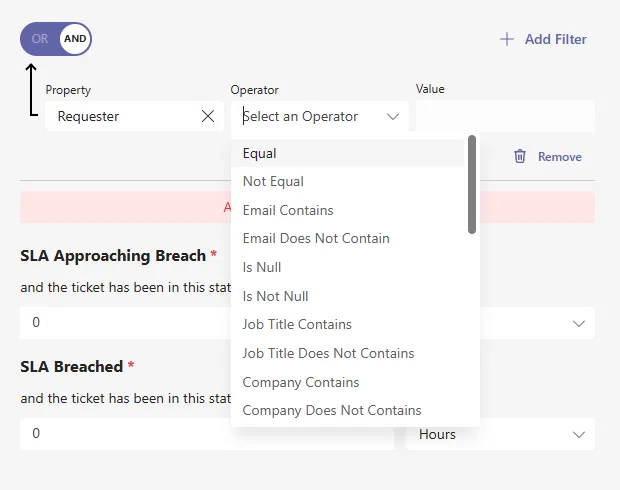
Now you can craft things such as:
- Automations and SLAs only for internal or external employees
- Automation and SLAs only for people with specific Job Titles, Companies, etc.
Azure AI - Document Scoring
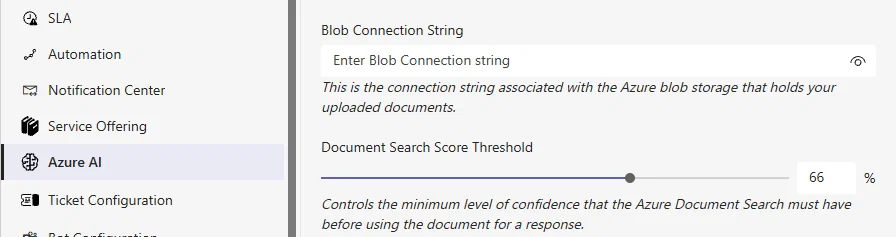
We also heard from customers leveraging Microsoft Foundry with large amounts of documentation that they want to bring a scoring style confidence into their generative AI responses.
Inside of Azure AI, you'll now see the Document Search Score Threshold
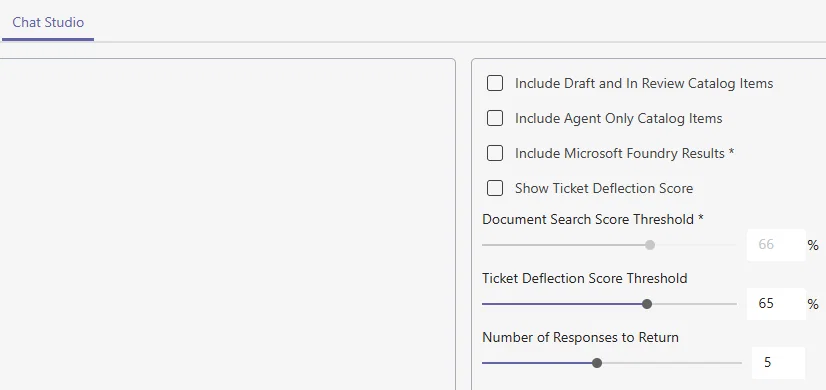
And this also makes its way to Chat Studio to perform testing before making changes to TVA above.
Until next time!